Bridge to Bitcoin
Fund your wallet from another network. Send ETH, USDC, USDT, SOL, BNB or TRX and receive native Bitcoin in your wallet, ready to trade.
If your funds are on another network, you do not need to get Bitcoin somewhere else first. Send what you already hold and native Bitcoin lands in your Alkanex wallet, credited like any other deposit and ready to trade.
You send directly to the bridge, so Alkanex never holds the asset you send. The bridge is operated by Houdini, a third party.
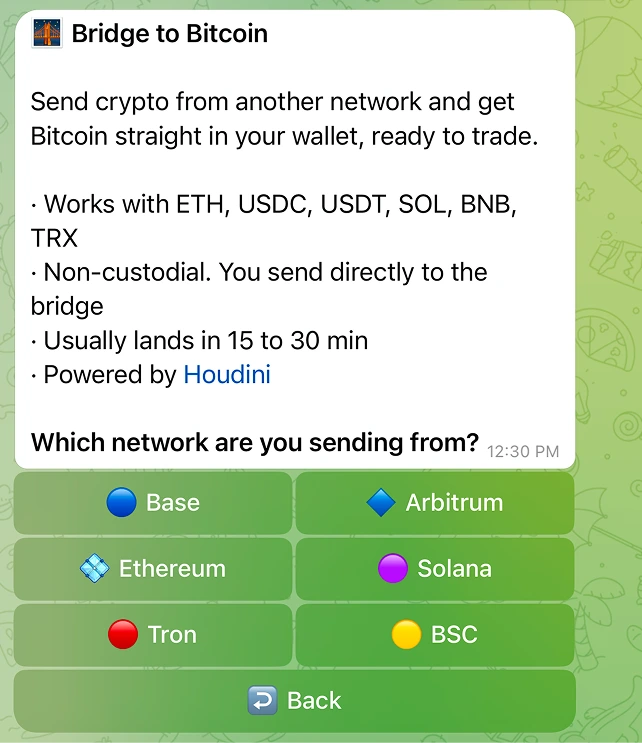
Networks and assets
| Network | Assets |
|---|---|
| Base | ETH, USDC |
| Arbitrum | ETH, USDC |
| Ethereum | ETH, USDC, USDT |
| Solana | SOL, USDC, USDT |
| Tron | TRX, USDT |
| BSC | BNB, USDT |
How to use it
The flow is chain first: you pick where you are sending from, then what you are sending.
- Tap 🌉 Bridge from the main menu, or from the deposit panel.
- Pick the network you are sending from.
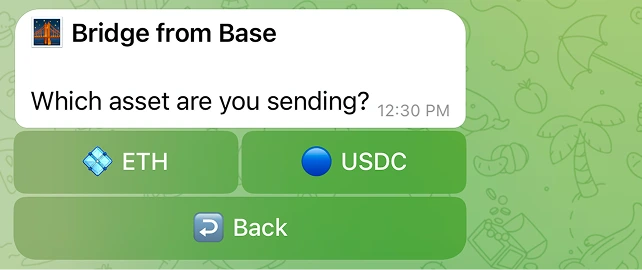
- Pick the asset.
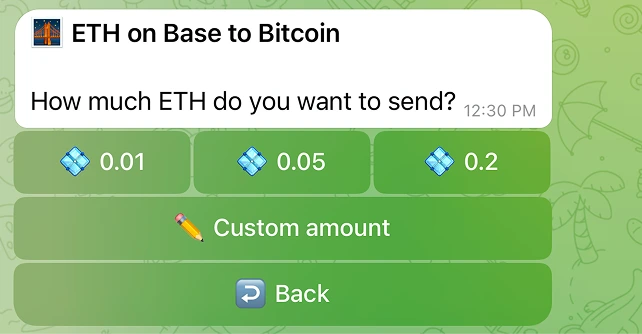
- Pick the amount, from the presets or Custom amount.
- Read the quote, then tap Get deposit address.
- Send from your own wallet on that network.
- The card updates itself until the Bitcoin lands.
The quote
The quote shows what you send, what you get, the expected time, the route the bridge takes, and the wallet that will receive the Bitcoin.
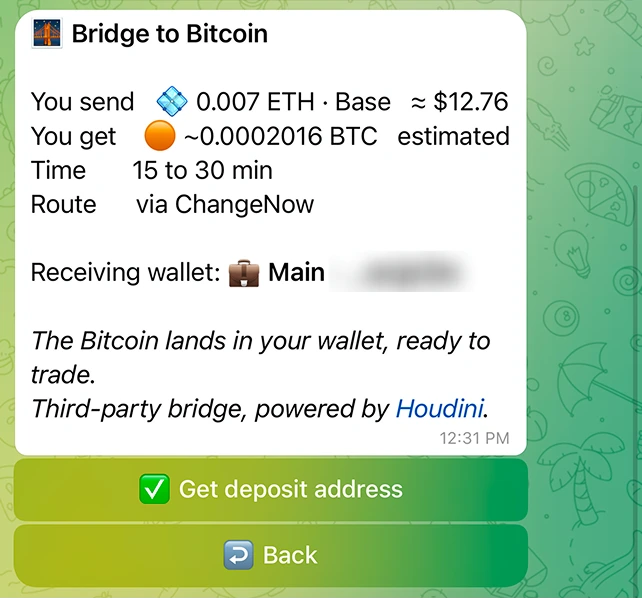
The Bitcoin figure is an estimate. The exact amount is set when the bridge executes, so what lands can differ slightly from the quote.
Which wallet receives it
The receiving wallet is never implicit. If you start from a wallet card, the bridge is scoped to that wallet. If you start from the menu and have more than one wallet, you are asked which one should receive the Bitcoin. Either way, the quote and the deposit screen both print the destination.
The deposit screen
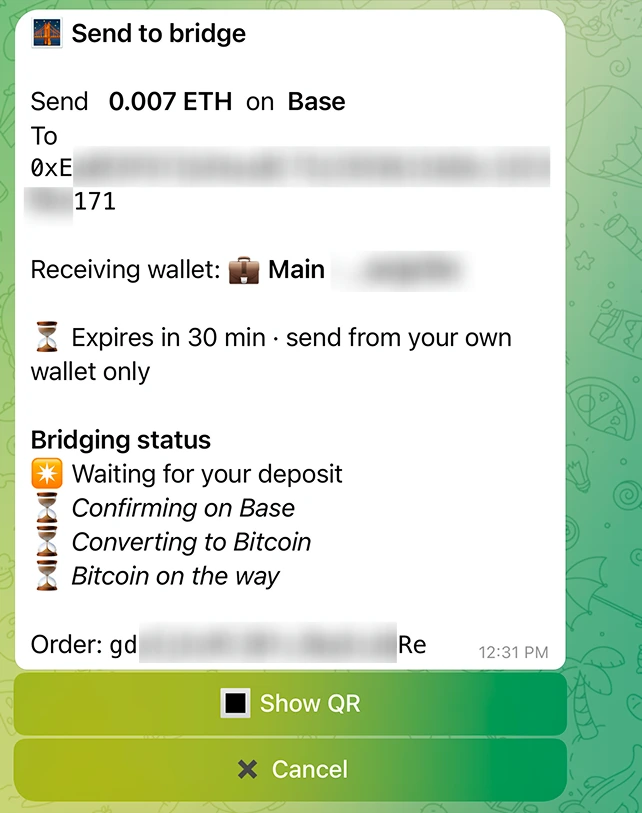
| Element | What it means |
|---|---|
| Address | Where you send on the source network. Show QR renders it as a scannable code |
| Receiving wallet | The Alkanex wallet the Bitcoin lands in |
| Expiry | Send within the window shown, from your own wallet only |
| Bridging status | The four stages, updated live |
| Order | The Order ID, for support |
Live tracking
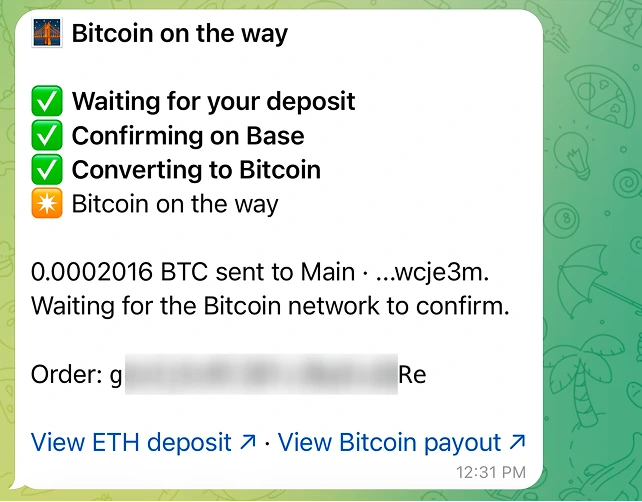
The card tracks four stages and rewrites itself as the order advances.
| Stage | What is happening |
|---|---|
| Waiting for your deposit | Your funds have not reached the bridge yet |
Confirming on <network> | Your transaction is confirming on the source network |
| Converting to Bitcoin | The bridge is doing the conversion |
| Bitcoin on the way | The Bitcoin has been sent, waiting for confirmation |
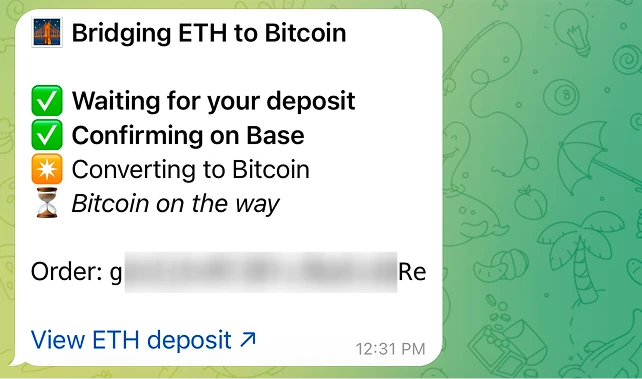
Once the Bitcoin is sent, the card links to both transactions: your deposit on the source network, and the Bitcoin payout.
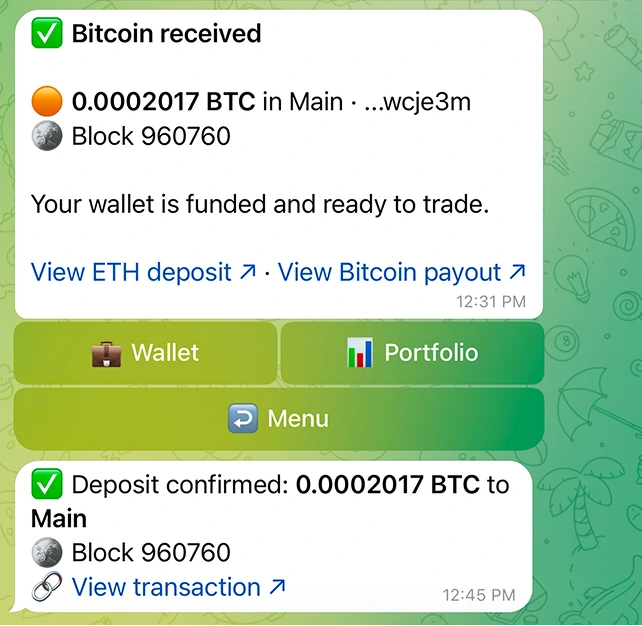
When the payout confirms, the card becomes Bitcoin received with the block it landed in, and your usual deposit confirmation arrives right after.
How long it takes
Expect 15 to 30 minutes. It depends on the bridge and on Bitcoin block times, so it varies. The live tracking shows which stage the order is in at any moment.
Limits
The size band comes from the bridge route itself, and it differs per asset and network. If your amount falls outside it, the bot tells you the exact minimum or maximum for the pair you picked, so you can adjust and continue. Very large amounts sit above the bridge's own ceiling and are turned down before any route is quoted, and the bot says so plainly instead of asking you to retry.
If the bridge is busy
The bridge accepts a limited number of new orders per minute, shared across everyone using it, so now and then a deposit address takes a second attempt.
| What you see | What it means |
|---|---|
| Handling other orders right now | A short wait. Your quote stays on screen, tap the same button again in a minute |
| Not available at the moment | A longer stretch. Come back later and start again |
In both cases nothing was created and nothing was charged. Orders already in progress are not affected: they keep advancing and settle normally.
Support
Every order has an Order ID, shown from the deposit screen onward. Houdini support answers with that ID at @HoudiniSwapSupport_bot.
The Order ID is visible on the card at every stage after the deposit screen, so it stays in your chat history.
If it does not complete
| Case | What happens |
|---|---|
| Nothing arrives before the deadline | The order expires. Nothing was exchanged. If you sent late, the funds are returned to the wallet you sent from |
| The swap cannot complete | Your asset is returned to the wallet you sent from, within a window that depends on the network |
| You tap Cancel before sending | Nothing was created |
Quick checklist
- Pick the network first, then the asset
- Check the receiving wallet on the quote
- Send from your own wallet, the amount shown, within the expiry window
- Expect 15 to 30 minutes, follow the four stages
- Keep the Order ID if you need support